
Capture the deliverables
Turn the client brief into tasks. Add notes and subtasks so you can return to the work with a clear next action.
For freelancers
From the first brief to the final handoff, give each project a home. Know what needs your attention—and what’s ready to share.
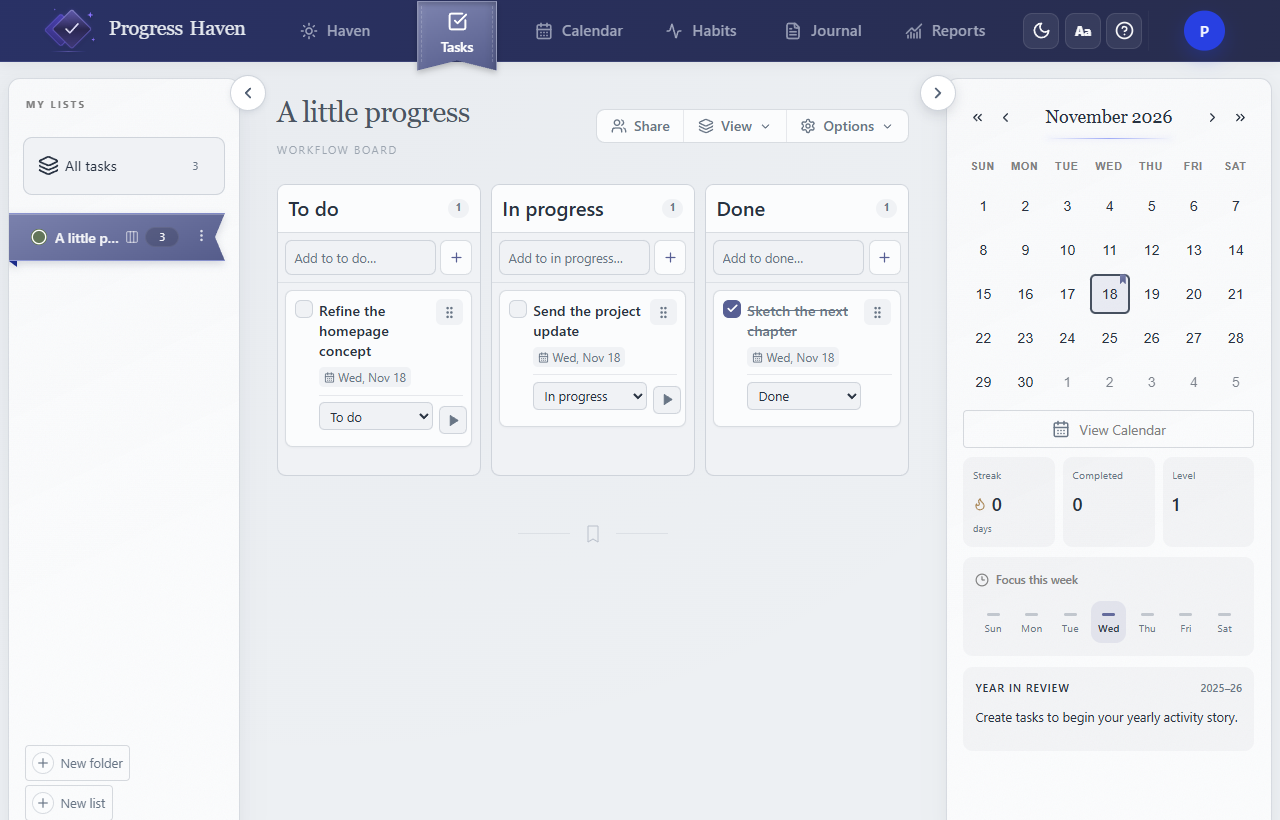
Turn the client brief into tasks. Add notes and subtasks so you can return to the work with a clear next action.
Move the design review through Kanban. Date the next task and check your day or week when priorities change.
Invite an editor to collaborate or a viewer to follow the project. Keep the handoff in the list where the work happened.
Start a Focus session from any task to track time spent on the work.
Client website · One task at a time
Pick a visual style, light or dark mode, and a navigation layout that suits your day. Open straight into Tasks whenever you want to get to work.
Export owned lists, tasks, and journal entries as JSON. Import previews the file and creates new private copies, without changing your existing records.
Collaborator identities, invitations, habits, settings, and running focus sessions are outside this transfer format.
This is a planning workspace. Invoicing, client payments, time-based billing, and external calendar integrations are not included.
Editors and viewers can see every task, note, and subtask in a shared list. Share only the content you intend them to see.